 Brew & Bloom
What is Brew & Bloom?
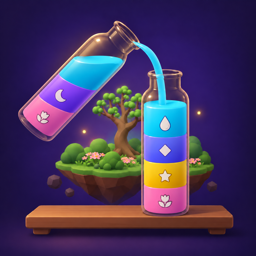
Brew & Bloom is a cozy 3D potion sort puzzle for iPhone and iPad. You pour glowing liquids between glass bottles until each holds one color, brew full bottles into potions at a cauldron, and every potion brings part of a floating island back to life.
Does Brew & Bloom have ads or in-app purchases?
Yes, a few. You can choose to watch a short video for an extra hint or to double the dew from a win, and a short ad sometimes plays between levels (never in your first 10 levels or after a Daily Brew). Ads are family-friendly and never personalized. The Grove Keeper Pack, a one-time purchase, removes the ads between levels and adds unlimited hints, Opaline Glass, an Alchemist’s Greenhouse and a thank-you letter. There are still no timers, energy bars or boosters, and undo is always unlimited.
How many levels are there?
245 Adventure levels across 10 worlds, 150 Classic Sort levels, and a new Daily Brew puzzle every day. Every level is checked by the game’s solver to be solvable.
Which devices can I play on?
Brew & Bloom is made for iPhone and iPad running iOS 26 or later. Graphics settings keep it smooth on older devices.
Is Brew & Bloom on Android?
Not at the moment. Brew & Bloom is a native app built for iPhone and iPad with Apple’s RealityKit.
Can I play offline?
Yes. Every level ships inside the app, and the Daily Brew is made on your device from the date, so you can play without an internet connection. Ads and purchases need a connection, and iCloud sync and Game Center catch up when you are back online.
What does “par” mean, and how do I get three leaves?
Par is the fewest moves a level can be solved in, proven by the game’s solver. Finish at par for three leaves. Brewing a potion counts as one move, and par includes the brews.
I’m stuck on a level. What can I do?
Tap the hint button for the next move from the game’s own solver. You get 3 free hints a day, then a short optional video for each extra one, or unlimited hints with the Grove Keeper Pack. Undo and restart are always unlimited, so there is no way to lose. The game also tells you gently when you’ve boxed yourself in.
Read the how-to-play guide →How do I move my progress to a new iPhone or iPad?
Progress syncs through iCloud. Sign in to the same Apple Account on both devices, make sure iCloud is turned on, and open the game once on each. There is no separate account to create.
How do I get the Grove Keeper Pack back on a new device?
Purchases belong to your Apple Account. Sign in with the same Apple Account, open Settings in the game and tap Restore Purchases. Refunds are handled by Apple through reportaproblem.apple.com.
Can I play if I’m color blind?
Yes. Turn on symbols and every color gets its own shape, so you never need to tell colors apart by hue alone. The game also supports VoiceOver, Reduced Motion and large touch targets, with no time pressure.
Are there more worlds coming?
Yes. New worlds and seasonal events arrive in updates. If you have an idea for a world or a new kind of bottle, we’d love to hear it.
Request a feature →How do I report a bug?
Use the contact page and choose “Report a bug”, or email [email protected]. Tell us your device, iOS version and what happened. Steps to make it happen again help a lot.
Report a bug →